
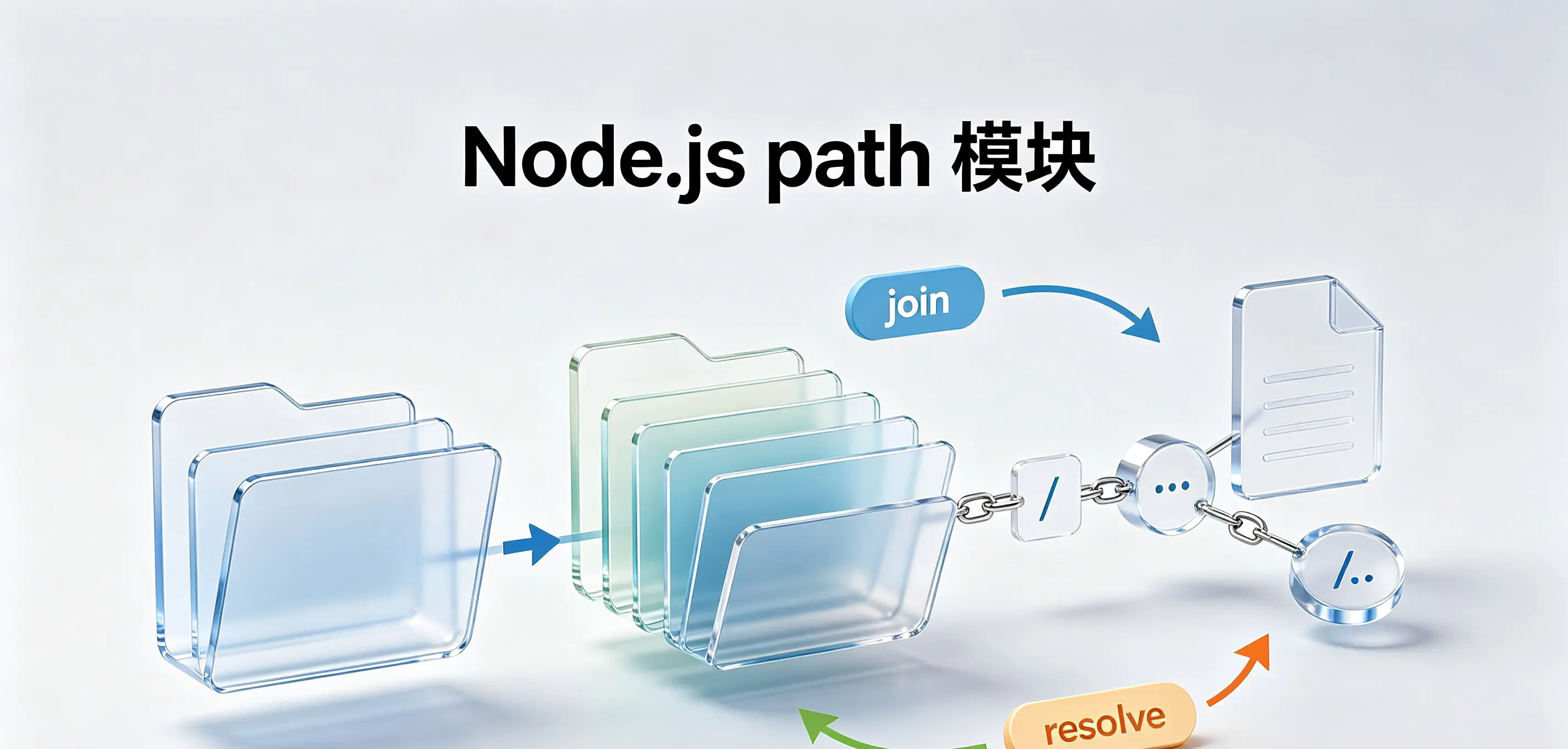
Stop splicing paths manually! Detailed explanation of the 9 core APIs of the Node.js path module
summary: Path processing is an unavoidable task for every Node.js project. This article starts from
path.joinandpath.resolveStarting from the differences, we dismantle the 9 core APIs of the path module one by one, and demonstrate the correct posture of cross-platform path processing using code. After reading this, you will find that I have been splicing paths in the wrong way.
📑 Table of Contents
- Why do you need the path module?
path.joinandpath.resolve: The two most easily confused APIspath.dirname: Get directory namepath.basename: Get the file namepath.extname: Get extensionpath.normalize:Normalized pathpath.parse: Parse path as objectpath.isAbsoluteandpath.relative: Judgment and calculationpath.sepandpath.delimiter: system separator- Cross-platform considerations
- A little summary
- interactive discussion
Why do you need the path module?
One of the most common mistakes when dealing with file paths in Node.js is to manually concatenate path strings:
javascript
// ❌ 这样做在 Windows 上会出错
const filePath = __dirname + '/' + 'data' + '/' + 'file.txt';

// ❌ 模板字符串也一样有问题
const filePath = `${__dirname}/data/file.txt`;
The problem is:Different operating systems have different path separators. `` for Windows, for Linux/macOS /. The manually spliced path works on one system, but hangs on another system.
Node.js path The module is specifically designed to solve this problem - it provides a set of cross-platform path processing utility functions to automatically select the correct delimiter according to the current operating system.
javascript
// ✅ 正确写法
import path from 'node:path';
const filePath = path.join(__dirname, 'data', 'file.txt');
core value: Don’t care about operating system differences,path Modules do it all for you.
path.join and path.resolve: The two most easily confused APIs
These are the two most confusing methods in the path module and are often asked in interviews. What they have in common is that they both splice paths, but their behavior is completely different.
path.join:Pure splicer
path.join Its function is simple: put multiple path fragments together and normalize the results. itDon't care if the path exists, only performs string-level splicing and normalization.
javascript
import path from 'node:path';

// 基础拼接
console.log(path.join('a', 'b', 'c'));   // a/b/c  (POSIX) 或 a\b\c (Windows)

// 处理 . 和 ..
console.log(path.join('a', '..', 'b'));  // b(解析了 ..)
console.log(path.join('a', '.', 'b'));   // a/b(忽略了 .)

// 遇到以分隔符开头的片段会重置
console.log(path.join('a', '/b', 'c'));  // /b/c(前面的 a 被丢弃)
console.log(path.join('/a', '/b', 'c')); // /b/c(前面的 /a 被丢弃)
key rules: If a fragment starts with a path separator,join meetingDiscard all previously spliced content, and build the path again from this fragment. This is the "reset" mechanism.
exist 1.mjs , I verified this:
javascript
// Windows 环境下
console.log(path.join(process.cwd(), 'hello', 'world'));
// 输出:D:\workspace...\hello\world

console.log(path.join(process.cwd(), '/hello', 'world'));
// 输出:D:\hello\world(注意!前面的 process.cwd() 被丢弃了)
because '/hello' by / At the beginning, a reset was triggered,process.cwd() was discarded. This behavior can easily be overlooked, resulting in unexpected path errors.
path.resolve:Absolute path generator
path.resolve The goal isGenerate an absolute path. It processes fragments from right to left until an absolute path is constructed. If the absolute path is still not obtained after processing all fragments, the current working directory will be automatically added (process.cwd())。
javascript
// 假设当前工作目录是 /home/user

// 全是相对路径 → 补上 cwd
console.log(path.resolve('a', 'b', 'c'));
// /home/user/a/b/c

// 遇到绝对路径 → 从此开始,不再补 cwd
console.log(path.resolve('/a', 'b', 'c'));
// /a/b/c

console.log(path.resolve('a', '/b', 'c'));
// /b/c(/b 触发了重置)

// 处理 .. 和 .
console.log(path.resolve('a', '..', 'b'));
// /home/user/b
Comparison summary
| characteristic | path.join | path.resolve |
|---|---|---|
| return value | Relative or absolute path | Always an absolute path |
| benchmark | None (pure splicing) | current working directory (process.cwd()) |
| Reset rules | meet / Opening sequence reset | meet / Opening sequence reset |
| Complete | Not complete | Will automatically complete cwd |
| Typical scenario | Splice relative paths | Get the absolute path of a file |
Engineering practice: used in projects path.resolve To get the absolute path, use path.join Splice relative paths.
javascript
// 获取项目根目录下的文件绝对路径
const configPath = path.resolve(process.cwd(), 'config', 'app.json');

// 拼接相对路径
const relativePath = path.join('src', 'components', 'Button');
path.dirname: Get directory name
path.dirname Returns the directory portion of the path—that is, what is left after removing the last part.
javascript
import path from 'node:path';

console.log(path.dirname('/a/b/c'));       // /a/b
console.log(path.dirname('/a/b/c.js'));    // /a/b
console.log(path.dirname(process.cwd()));  // /home/user(返回父目录)
exist 2.mjs middle,path.dirname(process.cwd()) Returns the parent directory of the current working directory. This API is very useful when you need to get the path to the folder where a file is located.
path.basename: Get the file name
path.basename Returns the last part of the path (the file name). The second parameter can specify the substring to be removed from the end of the file.
javascript
import path from 'node:path';

// 基础用法
console.log(path.basename('/a/b/c.js'));          // c.js
console.log(path.basename('/a/b/c'));             // c(最后一部分是目录名)

// 第二个参数:从末尾移除匹配的子串
console.log(path.basename('/a/b/c.js', '.js'));   // c(移除 .js)
console.log(path.basename('/a/b/c.js', 'js'));    // c.(移除 js,保留 .)
console.log(path.basename('/a/b/c.js', 's'));     // c.j(移除末尾的 s)
console.log(path.basename('/a/b/c.js', 'j'));     // c.js(末尾不是 j,不匹配)
console.log(path.basename('/a/b/cc', 'c'));       // c(移除末尾的 c)
Key points: The second parameter isMatches a substring starting from the end of the file name, can be removed as long as the last consecutive characters match, and the entire extension does not need to be matched.
| file name | Second parameter | Match situation | result |
|---|---|---|---|
c.js | '.js' | match the end of .js | c |
c.js | 'js' | match the end of js | c. |
c.js | 's' | match the end of s | c.j |
c.js | 'j' | The end is s,no j, does not match | c.js(constant) |
cc | 'c' | match the end of c | c |
This feature is very flexible when extracting filenames, but also note: it is not specifically designed to remove extensions - it just "removes matching substrings from the end", so 's' will match c.js at the end s,return c.j, which is different from the usual "remove extension", so you need to pay attention to it.
javascript
// 更精确的例子
console.log(path.basename('/a/b/cc', 'c'));   // cc(不匹配,因为末尾不是单独的 c)
This is very useful in actual development - for example, extracting the file name without extension from a file path and using it to generate a new file name.
path.extname: Get extension
path.extname Returns the extension part of the file name in the path (starting from the last . start, include .)。
javascript
import path from 'node:path';

console.log(path.extname('/a/b/c.js'));    // .js
console.log(path.extname('/a/b/c.min.js')); // .js(只取最后一个点后的内容)
console.log(path.extname('/a/b/c'));       // ''(没有扩展名)
console.log(path.extname('/a/b/.env'));    // ''(以点开头的文件名视为无扩展名)
NOTE: If the file ends with . beginning (such as .gitignore、.env),extname Returns an empty string. This is correct behavior - such files are usually considered "no extension" files.
path.normalize:Normalized path
path.normalize in the path .、.., redundant delimiters, repeated slashes, etc. are organized into standard forms, butWill not convert relative path to absolute path。
javascript
import path from 'node:path';

console.log(path.normalize('a/b//c/d/e/..'));
// a/b/c/d(去掉了多余的 /,解析了 ..)

console.log(path.normalize('/foo/bar//baz/../qux'));
// /foo/bar/qux

console.log(path.normalize('a//b//c/.'));
// a/b/c(去掉了多余的 /,忽略了 .)
normalize yes join and resolve Low-level functions that are called internally. You can use it directly when you need to organize the path string entered by the user into a standard format.
path.parse: Parse path as object
path.parse Parse the path into an object containing five fields to facilitate extraction of various components of the path.
javascript
import path from 'node:path';

const result = path.parse('D:/workspace/yjs_ai/backend/path_fs/2.mjs');
console.log(result);
// {
//   root: 'D:/',
//   dir: 'D:/workspace/yjs_ai/backend/path_fs',
//   base: '2.mjs',
//   ext: '.mjs',
//   name: '2'
// }

// 如果路径指向一个目录
console.log(path.parse('D:/workspace/yjs_ai/backend/path_fs'));
// {
//   root: 'D:/',
//   dir: 'D:/workspace/yjs_ai/backend',
//   base: 'path_fs',
//   ext: '',
//   name: 'path_fs'
// }
| Field | meaning | Example |
|---|---|---|
root | root directory | 'D:/' or '/' |
dir | Directory section | '/a/b' |
base | Full file name (including extension) | 'file.txt' |
name | File name (without extension) | 'file' |
ext | extension (including .) | '.txt' |
parse yes basename、dirname、extname The combined version allows you to get all the information in one call. It is very practical in scenarios such as batch file renaming and path conversion.
path.isAbsolute and path.relative: Judgment and calculation
path.isAbsolute: Determine whether the path is absolute
javascript
import path from 'node:path';

console.log(path.isAbsolute('/foo/bar'));   // true (POSIX)
console.log(path.isAbsolute('C:/foo/bar')); // true (Windows)
console.log(path.isAbsolute('foo/bar'));    // false
Paths starting with a drive letter will be recognized correctly on Windows. Don't use str.startsWith('/') To judge, because the absolute path in Windows starts with the drive letter.
path.relative: Calculate relative paths
Return from from arrive to relative path.
javascript
import path from 'node:path';

console.log(path.relative('/a/b', '/a/c'));        // ../c
console.log(path.relative('/home/user/docs', '/home/user/photos/a.jpg'));
// ../photos/a.jpg
path.sep and path.delimiter: system separator
path.sep is the path separator of the current system,path.delimiter is the environment variable delimiter.
javascript
import path from 'node:path';

// Windows 上
console.log(path.sep);        // \
console.log(path.delimiter);  // ;

// POSIX 上
console.log(path.sep);        // /
console.log(path.delimiter);  // :
Correct usage:
javascript
// 拆解路径字符串
const parts = myPath.split(path.sep);

// 拆解环境变量
const paths = process.env.PATH.split(path.delimiter);
Wrong usage: Do not use path.sep Splice path - should be used path.join or path.resolve。
javascript
// ❌ 错误:不会解析 .. 和 .
const wrong = parts.join(path.sep);

// ✅ 正确
const correct = path.join(...parts);
Cross-platform considerations
Windows vs POSIX Differences
| characteristic | Windows | POSIX (Linux/macOS) |
|---|---|---|
| delimiter | `` | / |
| Root ID | Drive letter (C:) | / |
resolve return | C:\Users... | /home/... |
Golden rules for writing cross-platform code
- always use
path.join()orpath.resolve()Splice paths, never use template strings or+。 - don't wantHardcoded in path fragment
/or ``. - Before comparing paths, use
path.resolve()orpath.normalize()standardization. - use
path.basename、path.extnameWait for the API to extract the file name, don't split it manually. - If you need to force a certain style, you can use
path.posixorpath.win32object.
Common Mistakes and Correct Practices:
| ❌ Wrong spelling | ✅ Correct writing method |
|---|---|
./${filename} | path.join('.', filename) |
dir + '/' + file | path.join(dir, file) |
parts.join(path.sep) | path.join(...parts) |
str.startsWith('/') | path.isAbsolute(str) |
A little summary
| need | Calling method |
|---|---|
| Splice multiple fragments (return relative paths) | path.join('a', 'b', 'c') |
| Get the absolute path (complete cwd) | path.resolve('a', 'b') |
| Extract file name | path.basename('/foo/bar.txt') |
| Extract extension | path.extname('/foo/bar.txt') |
| Parse path object | path.parse('/foo/bar.txt') |
| normalized path | path.normalize('/foo//bar/../baz') |
| Determine whether the path is absolute | path.isAbsolute('/foo') |
| Calculate relative paths | path.relative('/a/b', '/a/c') |
| Unpack path string | myPath.split(path.sep) |
| Unpack environment variables | process.env.PATH.split(path.delimiter) |
Memory formula: Not used for path splicing
+,joinandresolveIt's the right way. Used to disassemble the pathsep,splitThe parameters are just right...It's the father,.It's myself,...It's a normal folder. Run cross-platform with confidence, the bottom layer of Node will help you.
interactive discussion
path.joinandpath.resolveWhat is the core difference? when to usejoin, when to useresolve?- Why
path.basename('/a/b/.env')return.env,andpath.extname('/a/b/.env')Return empty string? path.join('/a', '/b')andpath.resolve('/a', '/b')Are the results the same? Why?- on Windows
path.resolve('a', 'b')andpath.join('a', 'b')What's the difference in the return value? - If there are a large number of path operations in the project, you would choose
pathThe module is stillfsModularpromisesVersion?
📌 Some insights: Path processing seems to be a trivial matter, but it is precisely this kind of "trivial matter" that is most likely to cause problems during cross-platform deployment. Spending half an hour going over the API of the path module can save countless debugging hours in the future.