
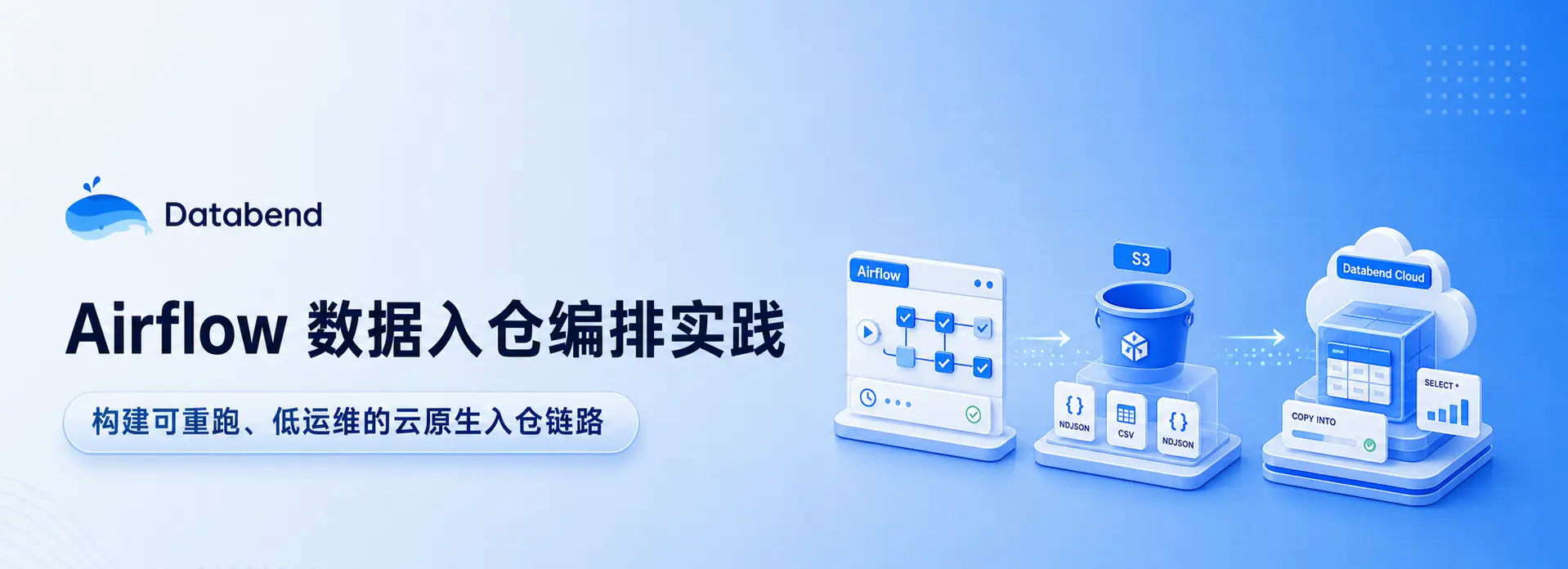
Introduction: Data warehousing seems to be just "importing files into the table", but after it is actually launched, it will encounter a series of engineering problems such as scheduling, retrying, deduplication, credential management, and failure recovery. This article uses a minimal runnable example to demonstrate how to use Airflow to orchestrate local CSV/NDJSON files, temporarily store them in S3 and then import them into Databend Cloud. It further explains how this link can be expanded into a set of data warehousing practices that are re-runable, low-operation and maintenance-oriented, and oriented to cloud-native data warehouses. Reading time is approximately 6 minutes.
Why do we need a rerunable data warehousing link?
Data warehousing sounds simple, but when it is actually done, it can easily turn into a series of detailed questions: where the file comes from, where it falls first, when to import it, how to retry after failure, whether repeated execution will produce dirty data, and whether the source file can be traced back.
Running it manually once is no problem. But if this link is to run once an hour, continue to run for a year, and automatically recover after a failure, a reliable scheduling system and a data warehouse base suitable for object storage and cloud analysis are needed.
This article uses a minimal runnable example to demonstrate how to use Apache Airflow Arrange the entire link and transfer local files through AWS S3 After temporary saving, import Databend Cloud. The characteristics of this link are:Single scheduling source, clear dependencies, rerunability, and easy expansion.
After reading you will get:
- The division of responsibilities between Airflow and Databend Cloud in the data warehousing link;
- A DAG and startup script that can be run directly;
- The complete process from starting the service, configuring the connection, executing the DAG, to querying the data in Databend Cloud;
All the code used in this article, including startup scripts, DAG, sample data and dependency lists, has been placed on GitHub:databendcloud/airflow-demo. The key snippets will be posted below and explained step by step. If you want to get started directly or view the complete file, you can clone the warehouse and run it.
Separation of responsibilities between Airflow and Databend Cloud
Apache Airflow: Define workflows with code
Apache Airflow is an open source orchestration platform that uses Python to define, schedule and monitor workflows. It was first open sourced by Airbnb and is now an Apache top-level project and a widely adopted de facto standard in the field of data engineering.
Its core concepts are not complicated:
- DAG (directed acyclic graph): A workflow is a DAG that describes the tasks and the dependencies between tasks.
- Task: A node in DAG is the smallest unit that actually performs work.
- Operator:Task template. For example, to execute Python functions
PythonOperator, and upload local files to S3LocalFilesystemToS3Operator. - Scheduler: Trigger tasks according to the schedule of the DAG, and determine the execution order based on dependencies.
- Connection / Variable: Airflow's mechanism for managing connection information and configuration. Connection is suitable for storing connection credentials, and Variable is suitable for storing parameters such as bucket names, table names, and connection strings.
The value of Airflow is workflow as code. Dependencies, scheduling cycles, and retry strategies are all written in Python and can be versioned, reviewed, and reused. After a task fails, Airflow can automatically retry according to the policy, and the running status can also be viewed directly in the Web UI.
Databend Cloud: Cloud-native data warehouse for object storage
Databend It is a cloud-native data warehouse written in Rust, using a storage-computation separation architecture. Data is stored on object storage, and computing resources are used on demand through Warehouse. Storage and computing can be independently expanded and billed independently.
Databend Cloud It is a fully managed service version of Databend, suitable for teams that want to reduce operation and maintenance costs and directly use the capabilities of cloud data warehouses.
For this article, the most critical thing is Databend’s COPY INTO Order:
COPY INTO my_table
FROM 's3://my-bucket/path/to/file.ndjson'
CONNECTION = (
    ACCESS_KEY_ID = '...'
    SECRET_ACCESS_KEY = '...'
)
FILE_FORMAT = (TYPE = NDJSON);
COPY INTO Allows Databend to load files directly from object storage into tables, supporting CSV, NDJSON, Parquet, ORC, Avro and other formats. It also has the ability to deduplicate files by default: the same file that has been imported will not be loaded again if it is executed again. This is the basis of the "rerun security" of the link in this article.
This is also in line with the typical usage of Databend Cloud: the original data falls on S3 first, Databend loads and queries directly from the object storage, and the computing resources are started and expanded on demand. For semi-structured data such as logs, events, NDJSON, Agent trace, etc., it can also be combined later VARIANT, full-text retrieval, Stream/Task for further cleaning, retrieval and incremental aggregation.
Overall architecture: Airflow orchestration, S3 temporary storage, Databend Cloud warehousing
The minimal example for this article has only two steps:
local CSV / NDJSON
      │
      │  Task 1: LocalFilesystemToS3Operator
      ▼
AWS S3 staging layer
      │
      │  Task 2: PythonOperator -> COPY INTO
      ▼
Databend Cloud
The design idea is very straightforward:
- Airflow is responsible for cross-system orchestration: When to upload, when to import, and how to retry after failure, all are left to Airflow.
- S3 is responsible for temporary storage of raw data: The file is first dropped into the object storage, retaining a copy of the original data that can be traced back and redirected.
- Databend Cloud is responsible for efficient warehousing and querying:pass
COPY INTOPull files from S3, complete batch import, and use the native object storage architecture to undertake subsequent analysis.
In this minimal example, the scheduling is handed over to Airflow, and the Databend side no longer starts an additional Task to poll S3. The advantage of this is that the link is easier to understand. If there is a problem, you only need to look at Airflow first.
After entering the production environment, it can also be further split according to responsibilities: Airflow is responsible for cross-system orchestration, and Databend Stream/Task is responsible for incremental cleaning, aggregation, and materialized results in the library. This not only keeps the scheduling boundaries clear, but also makes use of Databend's in-library processing capabilities.
Why not let Airflow write the data directly into Databend row by row?
Because Databend’s COPY INTO Itself is a path designed for batch import on object storage. For file-type data warehousing, first storing it in S3 and then pulling it from Databend is usually more suitable for throughput, backtracking and re-running than line-by-line writing on the application side.
Prepare environment and sample data
environment dependence
This example uses a Python 3.11 virtual environment (.venv/), the dependencies are as follows:
apache-airflow>=2.7.0
apache-airflow-providers-amazon>=8.0.0
databend-driver>=0.20.0
in:
apache-airflow: Workflow scheduling core. This example uses2.9.3, and lock dependency versions through official constraints files.apache-airflow-providers-amazon: Provides AWS related Operators, such asLocalFilesystemToS3Operator.databend-driver: Databend official Python driver, used in DAG to executeCOPY INTO.
Installation command (use official constraints version):
python3.11 -m venv .venv
source .venv/bin/activate

pip install "apache-airflow==2.9.3" \
  --constraint "https://raw.githubusercontent.com/apache/airflow/constraints-2.9.3/constraints-3.11.txt"

pip install apache-airflow-providers-amazon databend-driver
Prepare sample data
The sample file is data/sample.ndjson, each row is a JSON object:
{"id": 1, "name": "alice", "amount": 10.5}
{"id": 2, "name": "bob", "amount": 20.0}
{"id": 3, "name": "carol", "amount": 33.3}
Create target tables in Databend Cloud
Log in to the Databend Cloud console and create the target table in the Worksheet:
CREATE TABLE IF NOT EXISTS airflow_demo (
    id     INT,
    name   VARCHAR,
    amount DOUBLE
);
If your real data is logs or events whose fields change frequently, you can also consider using VARIANT Receive semi-structured fields, and then perform cleaning and aggregation through subsequent SQL, virtual columns or incremental tasks. In order to make the example straightforward enough, this article uses a fixed field table structure.
Start the Airflow local scheduling environment
Script to start Airflow start_airflow.sh as follows:
#!/usr/bin/env bash
# start up Airflow(standalone mode, including web UI + scheduler).
# It will be automatically created when starting for the first time. admin The account number and account password are printed in the terminal log..
set -euo pipefail

cd "$(dirname "$0")"

export AIRFLOW_HOME="$(pwd)/airflow_home"
export AIRFLOW__CORE__DAGS_FOLDER="$(pwd)/dags"
export AIRFLOW__CORE__LOAD_EXAMPLES=False

# standalone meeting spawn Child process, by name `airflow` from PATH Find.
# Must put venv of bin put in PATH First, otherwise it will hit Homebrew global old airflow,
# trigger `ImportError: cannot import name 'escape' from 'jinja2'`.
export VIRTUAL_ENV="$(pwd)/.venv"
export PATH="$(pwd)/.venv/bin:$PATH"

exec .venv/bin/airflow standalone
A few key points:
AIRFLOW_HOMEPoints to the projectairflow_home/, to avoid polluting the system directory.AIRFLOW__CORE__DAGS_FOLDERpoint todags/, tells Airflow where to load the DAG from.AIRFLOW__CORE__LOAD_EXAMPLES=FalseTurn off the official example DAG to make the UI cleaner.- Will
.venv/binput inPATHFirst, make sure that the Airflow child process uses the version currently in the virtual environment and not an older version that may be present on the system.
standalone Mode will start the Web Server, Scheduler and Triggerer at once, suitable for local development and demonstration.
start up:
./start_airflow.sh
When starting for the first time, Airflow will automatically create an admin account. The username and password will be printed in the terminal log and written airflow_home/standalone_admin_password.txt.
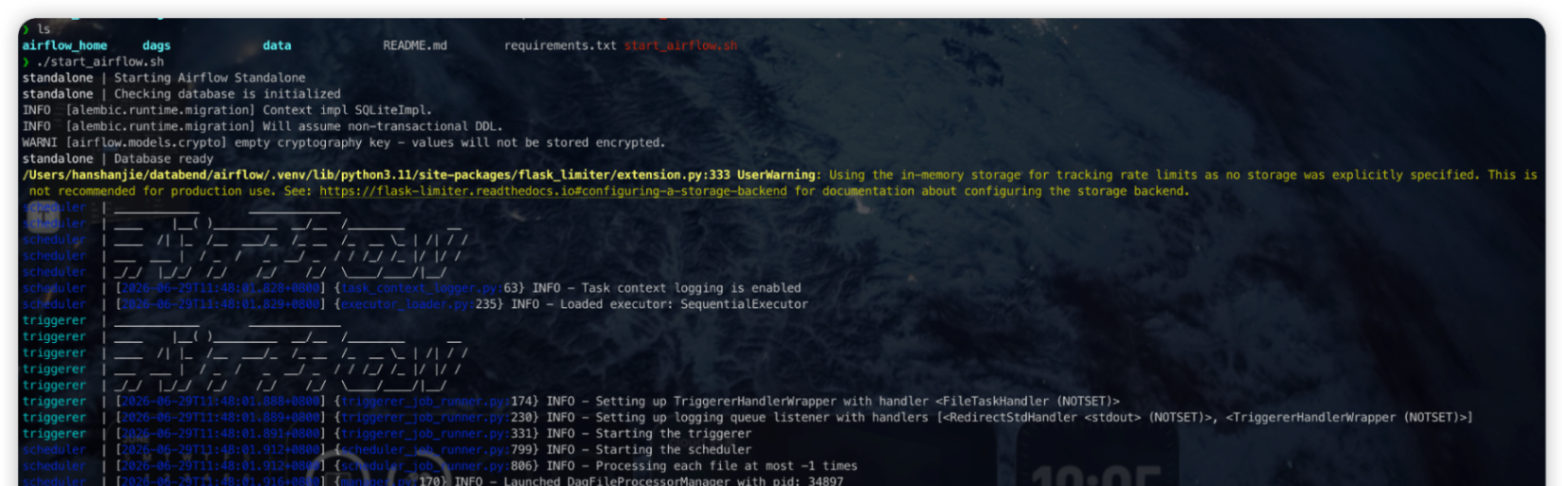
After seeing that the log is stable, open localhost, just log in with the admin account.
Detailed explanation of DAG code
The complete DAG is located at dags/csv_ndjson_to_databend.py.
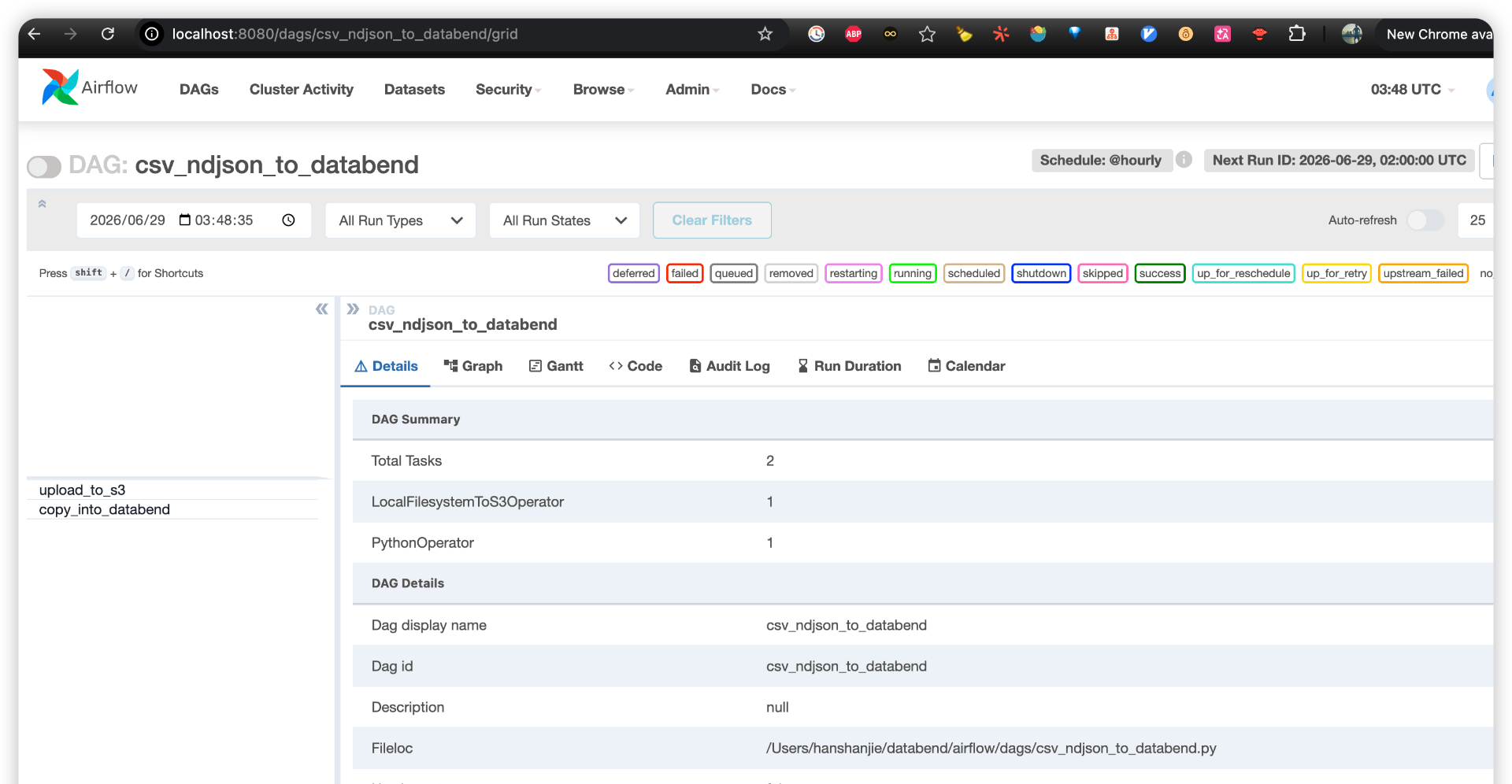
Top adjustable parameters
LOCAL_FILE_PATH = "/Users/hanshanjie/databend/airflow/data/sample.ndjson"  # Local files to be imported
S3_KEY = "ingest/sample.ndjson"   # S3 Temporary storage path (inside the bucket key)
TARGET_TABLE = "airflow_demo"     # Databend target table
FILE_FORMAT = "NDJSON"            # or CSV
These parameters are concentrated at the top of the file to facilitate subsequent replacement of data sources, target tables, or file formats.
Second task: execute COPY INTO
The core logic is copy_into_databend In the function:
def copy_into_databend(**context) -> None:
    """right Databend Cloud implement COPY INTO, from S3 Pull temporary files into the table."""
    from databend_driver import BlockingDatabendClient

    dsn = Variable.get("databend_dsn")
    bucket = Variable.get("s3_bucket")
    aws_key = Variable.get("aws_access_key_id")
    aws_secret = Variable.get("aws_secret_access_key")

    if FILE_FORMAT.upper() == "CSV":
        file_format_clause = (
            "FILE_FORMAT = (TYPE = CSV SKIP_HEADER = 1 FIELD_DELIMITER = ',')"
        )
    else:
        file_format_clause = "FILE_FORMAT = (TYPE = NDJSON)"

    copy_sql = f"""
        COPY INTO {TARGET_TABLE}
        FROM 's3://{bucket}/{S3_KEY}'
        CONNECTION = (
            ACCESS_KEY_ID = '{aws_key}'
            SECRET_ACCESS_KEY = '{aws_secret}'
        )
        {file_format_clause}
        PURGE = FALSE
        ON_ERROR = ABORT
    """

    client = BlockingDatabendClient(dsn)
    conn = client.get_conn()
    rows = conn.exec(copy_sql)
    print(f"COPY INTO Completed, the number of affected rows is returned: {rows}")
There are a few points worth noting here:
- Credentials and configuration are both read from Airflow Variable,Don’t write it into the code.
- according to
FILE_FORMATDynamically generatedFILE_FORMATclause to facilitate switching between CSV and NDJSON. PURGE = FALSEIndicates that after the import is completedDo not delete S3 source files for easy backtracking, auditing and redirection.ON_ERROR = ABORTIt means to stop immediately when encountering bad data to avoid swallowing errors silently.databend-driverThe import is placed inside the function, which can prevent Airflow from loading heavy dependencies when parsing the DAG and reduce the burden on the Scheduler.
Assemble DAG
with DAG(
    dag_id="csv_ndjson_to_databend",
    schedule="@hourly",                       # Scheduled batches; change as needed cron
    start_date=pendulum.datetime(2024, 1, 1, tz="UTC"),
    catchup=False,
    max_active_runs=1,
    tags=["databend", "s3", "ingest"],
) as dag:

    upload_to_s3 = LocalFilesystemToS3Operator(
        task_id="upload_to_s3",
        filename=LOCAL_FILE_PATH,
        dest_key=S3_KEY,
        dest_bucket="{{ var.value.s3_bucket }}",
        aws_conn_id="aws_default",
        replace=True,
    )

    copy_task = PythonOperator(
        task_id="copy_into_databend",
        python_callable=copy_into_databend,
    )

    upload_to_s3 >> copy_task
Several configurations determine how this link operates:
schedule="@hourly": Runs every hour and can be replaced with any cron expression.catchup=False: Do not make up for the historical time window, only start scheduling from the current time.max_active_runs=1: Only one DAG instance is allowed to run at the same time to avoid concurrent import conflicts.dest_bucket="{{ var.value.s3_bucket }}":use Jinja templateRead the Airflow Variable at runtime.upload_to_s3 >> copy_task: Clarify the dependencies, and the import will only be executed after the upload is successful.
Configure Airflow connections and variables
Before the DAG can run, connections and variables need to be configured in the Airflow Web UI.
Connection
Enter Admin -> Connections,create:
aws_default——AWS credentials (Access Key/Secret Key) for S3 upload.LocalFilesystemToS3OperatorJust rely on it to upload local files to S3.
Variable
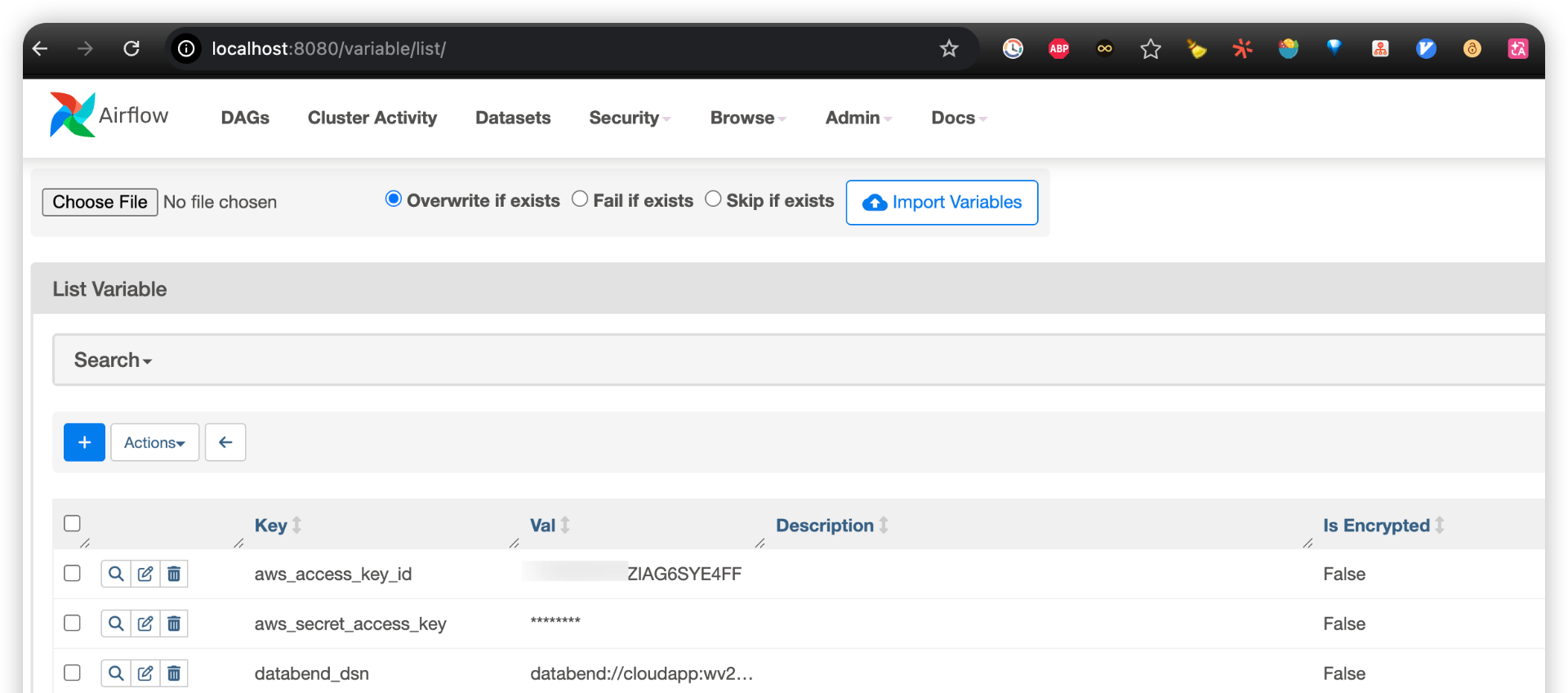
Enter Admin -> Variables, create the following variables:
s3_bucket: Temporary bucket name, for examplemy-ingest-bucket;databend_dsn:Databend Cloud connection string;aws_access_key_id/aws_secret_access_key: In the demo version, it is used by Databend to read S3.
databend_dsn This can be accessed from the Databend Cloud console Connect Page acquisition, the format is similar:
databend://<user>:<password>@<host>:443/<database>?sslmode=enable&warehouse=<wh>
After the configuration is completed, the Variables list is roughly as follows:
Run DAG and verify the logging results
Once everything is ready, find it in the DAG list of Airflow UI csv_ndjson_to_databend:
- Turn on the switch in the upper right corner of the DAG to make it schedulable.
- Click the Trigger DAG on the right to trigger it manually.
- Enter the Grid/Graph view and confirm
upload_to_s3Success first, thencopy_into_databendsuccess. - Open
copy_into_databendlog, viewCOPY INTO Finishoutput.
Return to the Databend Cloud Worksheet and query the target table:
SELECT * FROM airflow_demo;
The three rows of data were dropped into the table as scheduled:
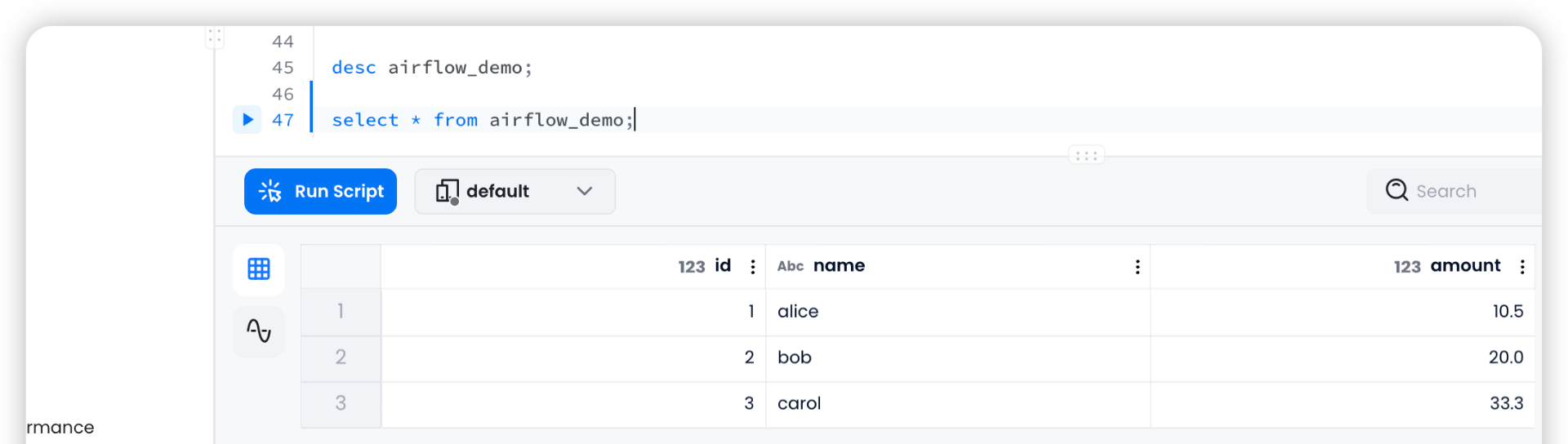
At this point, the entire link has been run through: local file → S3 temporary storage → Databend Cloud table entry, and the entire process is orchestrated by Airflow.
Production environment hardening suggestions
For demonstration purposes, this example puts the credentials directly into Variable and spells the AWS key into SQL. Before actually starting production, it is recommended to do the following reinforcements:
- The certificate is stored in plain text Variable. Use Airflow instead Secrets Backend(such as AWS Secrets Manager, HashiCorp Vault), the credentials are centrally managed and automatically rotated.
- Don’t spell in the AWS key
COPY INTOSQL. Pre-created on the Databend Cloud sideCONNECTIONObject, only the connection name is referenced in the DAG, and the credentials are not exported to the Databend. - Use unique S3 key. If the file name is fixed, the content will be overwritten. Please confirm
COPY INTOThe deduplication behavior is as expected. A more secure approach is to use a unique key with timestamp for each batch of data (such asingest/2026-06-29/sample.ndjson), which not only ensures idempotence, but also leaves clear data lineage. - Retries and alerts. Configure Task
retries,retry_delay, and then connect the failure callback (email, Slack) so that the failure can be discovered in time.
Summary: From example links to cloud native warehousing practice
This article uses a minimal example to connect Airflow, S3 and Databend Cloud:
- Airflow Responsible for scheduling, dependencies, retries and observability;
- S3 As the original data staging layer, keep a traceable copy of the data;
- Databend Cloud pass
COPY INTOLoad data directly from object storage and provide subsequent SQL query and analysis capabilities.
The value of this link is not only to "import files into the table", but to provide the data team with a more cloud-native data warehousing skeleton: object storage takes over the original data, Airflow manages cross-system orchestration, and Databend Cloud is responsible for low-operation and high-performance warehousing and analysis.
Starting from this skeleton, we can continue to expand to more realistic data engineering scenarios: log analysis, event data warehousing, semi-structured JSON processing, real-time incremental aggregation, and trace data analysis for AI/workload agents.
For teams that want to reduce the operation, maintenance and cost pressure of traditional cloud data warehouses while retaining the openness and data traceability of object storage, this is a lightweight, clear, and evolvable data warehousing path.
The complete startup script and DAG code can be found in the GitHub repository:databendcloud/airflow-demo.